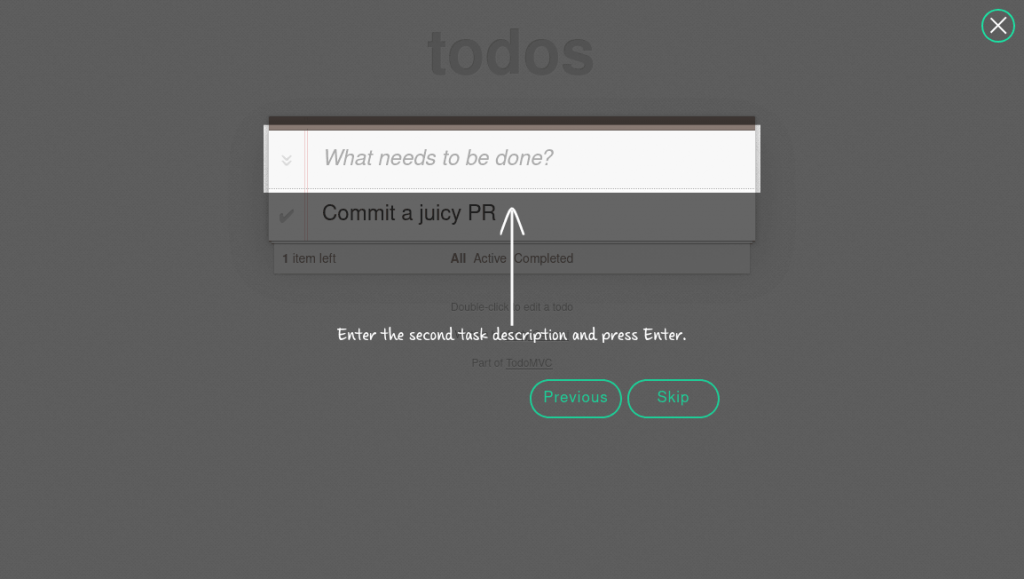
Interactive user tours and product onboarding help converting new users and guiding them through complex workflows. However, maintaining legacy library dependencies inside modern web stacks can quickly become a headache for frontend teams.
We are excited to introduce EnjoyHint 5.0 a complete architectural rewrite made to meet modern web standards, eliminate heavy dependencies, and deliver a smooth, lightweight onboarding experience across any application stack.
Here is a breakdown of what’s new in EnjoyHint 5.0 and how these updates make building product tours easier than ever.
1. Zero Runtime Dependencies: Lighter, Faster, Independent
The biggest milestone in Version 5 is the complete removal of legacy runtime dependencies, including jQuery and KineticJS. EnjoyHint is now built entirely on native DOM APIs and a high-performance SVG rendering engine for overlays, spotlights, markers, and arrows.
Why it matters: You no longer need to pollute your bundle with legacy libraries just to display onboarding hints. EnjoyHint now runs faster, initializes instantly, and reduces overall bundle overhead.
2. Modern Build System: Vite, TypeScript & ESM Support Out-of-the-Box
EnjoyHint 5.0 has been re-architected with TypeScript and migrated to Vite. It now natively exports ESM (ES Modules), CJS, and UMD formats.
Automatic Runtime Style Injection. When importing EnjoyHint as an ES module (import EnjoyHint from ‘xbs-enjoyhint’), required CSS styles are automatically injected into the page runtime. No manual CSS bundler configurations or extra stylesheet imports are needed. Note that UMD / script-tag usage still needs a separate <link> to dist/enjoyhint.css. For migration, remove old jQuery/Kinetic/scrollTo scripts and load dist/enjoyhint.min.js.
Real-World Example: If you are migrating a legacy enterprise app to a modern build setup like Vite or Webpack 5, you no longer need to configure custom legacy loaders or global script definitions. Simply install xbs-enjoyhint via npm and import it directly inside your component files.
3. Seamless Framework & Dialog Integration
Legacy onboarding tools often break when trying to highlight elements inside shadow DOMs, iframe layers, or modal popups. EnjoyHint 5.0 solves these structural UI challenges out-of-the-box:
- Built-in Modal Overlay Support. Highlights elements smoothly inside modal dialogs (such as Angular Material dialogs or custom React portals) without z-index collisions or clipping issues;
- Same-Origin iFrame Support. Accurately targets and positions spotlights around elements nested inside same-origin iframes (e.g., embedded document editors or administrative panels);
- SPA Routing. SVG mask and arrow URLs now resolve cleanly across complex single-page application router setups (e.g. Ember-style #/… routes).
4. Powerful New Tour Capabilities
Version 5 introduces flexible step controls designed for real-world user onboarding journeys:
Targetless Steps (Welcome & Intro Screens)
Steps can now omit target element selectors entirely. EnjoyHint can present a clean, centered full-screen intro modal complete with custom descriptions and navigation buttons (Next, Prev, Skip).
Real-World Example: Greet first-time users with a “Welcome to your Workspace!” modal before jumping into step-by-step element highlighting.
Native Right-to-Left (RTL) Support
Set dir: “rtl” globally to automatically mirror navigation buttons, controls, and text alignment for Hebrew, Arabic, and other RTL languages, all while keeping spotlight pixel coordinates aligned to target elements.
Clickable HTML Links inside Labels
Step descriptions support rich HTML formatting. Embedded hyperlinks automatically open in new tabs without blocking user clicks on highlighted target page elements.
Real-World Example: Link users directly to documentation (“Learn more about export rules here”) within the hint step without interrupting their tour progress.
Programmatic Step Skipping
Return false inside a step’s onBeforeStart callback to evaluate application conditions dynamically and skip irrelevant steps without rendering them.
Real-World Example: Automatically skip a “Connect your payment gateway” step if the user has already configured Stripe in their account preferences.
5. UI Improvements & Usability Polish
Label Overlap Hide Toggle. If a caption box covers an active UI element on smaller screens, users can click a built-in toggle control to temporarily hide the caption, interact with the element, and bring the caption back.
Higher Overlay Z-Index. Improved stacking logic ensures onboarding tours render cleanly above dense, multi-layered SaaS application headers and navigation panels.
- Previous Button Navigation. Allows users to step backward in the tour sequence;
- Custom Event Triggers. Programmatically advance tour steps from application code (enjoyhint_instance.trigger(‘event_name’)). It’s ideal for multi-step async API workflows;
- Automatic Event Navigation. Automatically fires DOM events (such as immediate clicks) and seamlessly transitions to the next step;
- Keyboard Event Navigation. Binds tour step progression directly to specific keyboard shortcuts;
- Global Tour Lifecycle Hooks. Programmatically respond to tour events using onStart, onEnd, onSkip, and onNext callbacks.
What’s Next: React Hooks Support Coming Soon!
We are actively working on official React Hooks support. Stay tuned for the official announcement!